
Both at once
During the transition both songs play: one fades out while the other fades in.

Join two songs with a crossfade set your way: you choose how long the transition lasts and when the second song comes in.
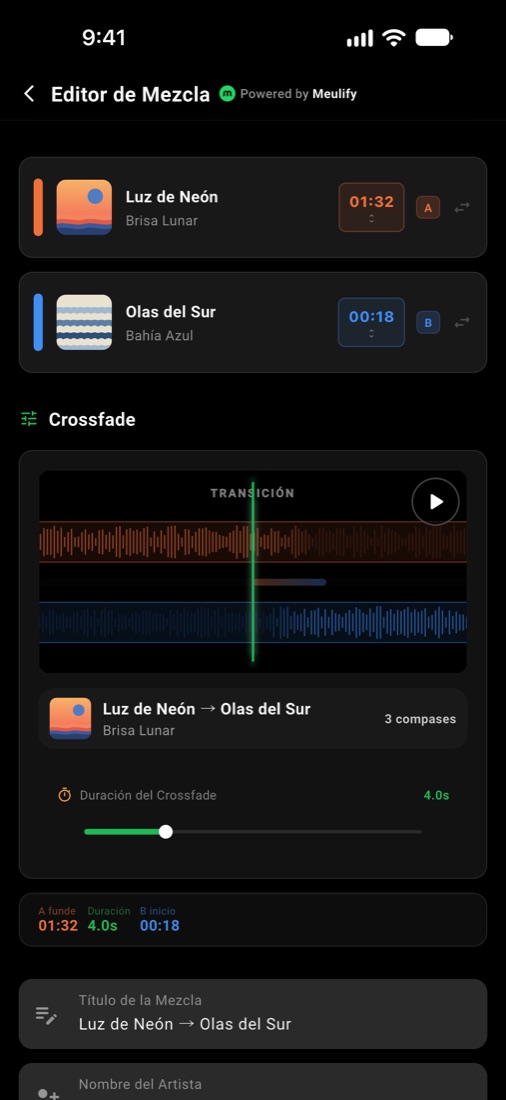
During the transition both songs play: one fades out while the other fades in.
Set the crossfade length down to the second.
Make the second song start at the chorus instead of from the beginning.
Preview the mix and tweak it until it sounds just how you want.
The mix is saved with its title as one more song in the playlist you choose.
A mix doesn't merge or copy files: it just keeps which songs they are and when each one comes in.
Two songs joined by a crossfade: the first fades out as the second comes in, at the point you choose.
Two: A and B.
The title, the two songs and the transition timings. No audio is copied or downloaded: when you play the mix, each song plays from its own website.
Almost all of them. If a song can't be mixed, Meulify tells you.
Creating and playing mixes doesn't. When you save one, you can watch an ad or use 1 GOAT.
Get Meulify and blend your favorite songs like a DJ.
 Get the app